Ranking System for Gamification
Designing a competitive yet inclusive ranking system to boost student engagement through gamification mechanics.
When
2023
Problem
An EdTech platform wanted more student engagement from a ranking that stays competitive without discouraging anyone.
My role
Research, user journeys and interface design, then the real-time leaderboard with SSR and caching.
Result
A leaderboard that syncs in under 100ms.
Introduction
In digital education platforms, gamification has been an effective tool for engaging students. One of the main gamified mechanisms is the ranking system, which allows students to track their progress and compare their performance with peers.
This case study documents the UX design process for implementing a ranking system based on XP (experience points) within a learning platform.
Identified Problem
Platform administrators want to identify the most engaged students and incentivize them through rewards. However, the current system lacks a structured mechanism to classify and display the best-performing students.
The main pain points are:
Project Objectives
- Create a dynamic ranking based on XP, updated in real-time.
- Allow students to opt-in or opt-out of the ranking.
- Ensure an intuitive and responsive interface for admins and students.
- Implement view filters (by unit, by period: week, month, year).
- Guarantee security and privacy, respecting students' decisions.
Research & Benchmarking
To support the design, we conducted user research and analyzed similar systems, such as:



Key insights from research
- Transparency in participation: Users should be able to easily opt-in or opt-out of the ranking.
- Immediate visual feedback: Highlighting the user's position on the leaderboard improves engagement.
- Intuitive filters: Allowing different time filters increases the ranking's usability.
Personas
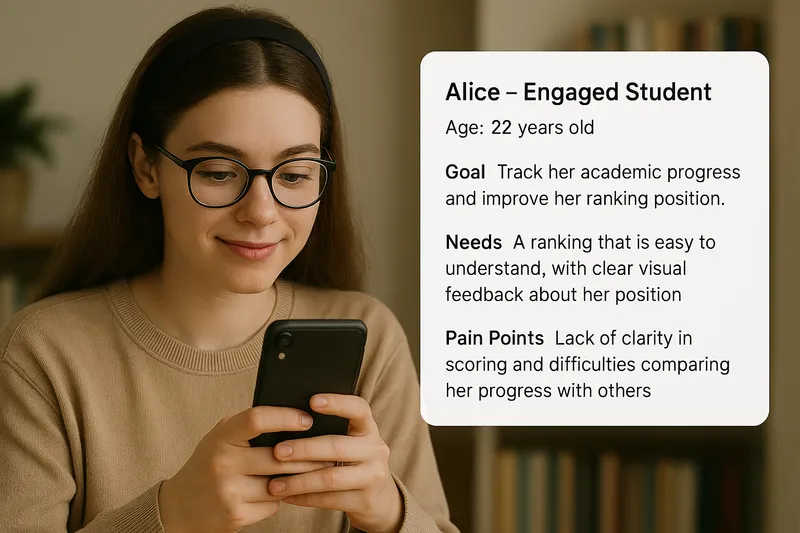
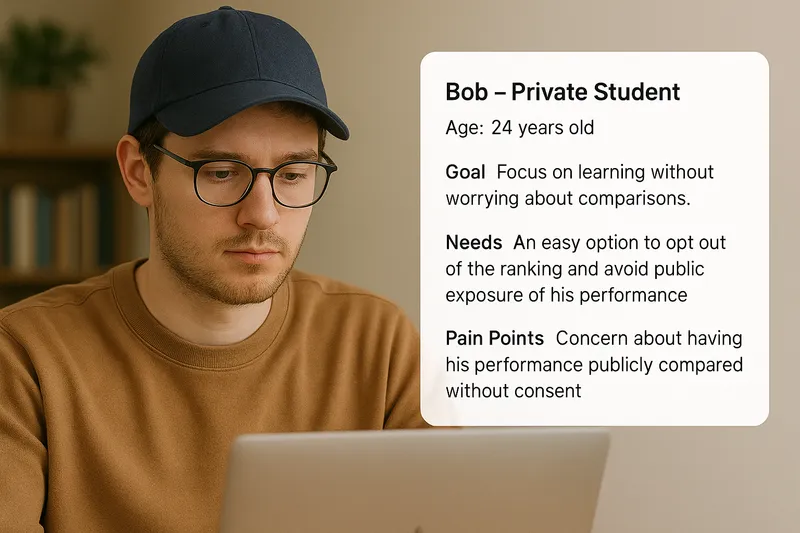
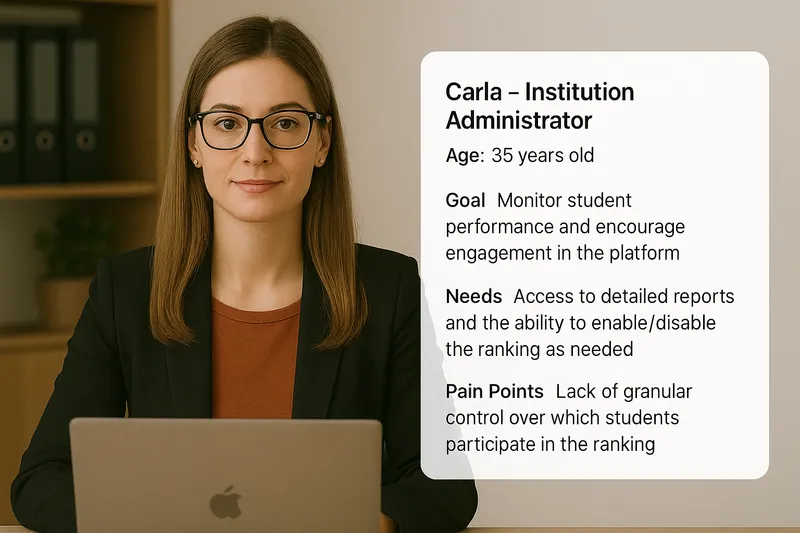
User Journey Map
Three paths through the same system — participating, opting out, and administering.
Student Participating in the Ranking
Access the platform
Alice logs into the educational platform.
Opt-in Modal
The system presents a modal asking if she wants to participate in the ranking.
Participation Confirmation
Alice opts in and sees her initial ranking position.
Tracking Progress
She can view her position in real-time and filter by different periods.
Improving Position
Alice is motivated to earn more XP to climb the ranking.
Rewards
If she reaches the top, she receives an incentive from the institution.
Student Opting Out of the Ranking
Access the platform
Bob logs into the system.
Opt-in Modal
He decides not to participate in the ranking.
Exclusion from the Ranking
The system hides the ranking interface for him.
Reactivation Option
Bob can access settings and change his decision later.
Administrator Managing the Ranking
Access the admin panel
Carla navigates to the ranking section.
Enable the ranking
She decides to activate the ranking system for the institution.
Configure the ranking
Chooses whether to use historical data and sets tie-breaking rules.
Monitor the ranking
Analyzes reports and checks student performance.
Manage students
Can see which students participate and manually add or remove them if necessary.
Solution Definition
A comprehensive ranking system that balances student engagement with privacy protection, providing administrators with full control over the platform's competitive features.
Solution Interface
Visual representation of the implemented ranking system
Empty State - No Results Found

Interface quando não há dados de ranking disponíveis
Active Ranking with Student Data

Interface com dados ativos do ranking de estudantes
1. Ranking Rules
XP-Based Ranking
Students are ranked by their total accumulated experience points (XP). The more XP you earn, the higher your position in the ranking.
Tie-Breaking System
When two students have the same XP, the one who earned their last XP most recently gets the higher position.
Flexible Filtering
Students can view rankings by different time periods: total XP, weekly, monthly, yearly, or custom date ranges.
2. Student Participation
Privacy-First Approach
All students start excluded from the ranking by default for privacy protection. They must actively choose to participate.
Opt-in Process
On first access, students see a friendly modal asking if they want to participate. If they accept, their profile picture and name appear in the ranking.
Flexible Control
Students can change their participation status anytime through their settings panel, with a 24-hour delay to prevent abuse.
3. Admin Access
Complete Control
Administrators can enable or disable the entire ranking system for their institution with one click.
Historical Data Management
When activating the ranking, administrators can choose whether to include past XP data or start fresh.
Granular Activation
The ranking can be activated for specific schools or departments within the institution, allowing for targeted implementation.
4. User Interface
Student Panel
Students see the top 10 ranked students with their own position highlighted. The interface is designed to be motivating and easy to understand.
Admin Dashboard
Administrators have access to a comprehensive dashboard with ranking management, student oversight, and detailed performance reports.
Intuitive Navigation
Simple date filters allow users to view rankings by different time periods, making navigation and visualization straightforward.
Testing & Iterations
Comprehensive testing and iterative improvements based on user feedback and accessibility requirements.
Tests Conducted
Usability Tests
Comprehensive testing with students and administrators to validate user experience and workflow efficiency.
Accessibility Validation
Thorough testing of keyboard navigation and screen reader compatibility to ensure inclusive design.
Performance Tests
Optimization testing to ensure fast loading times and smooth user interactions across all devices.
Key Adjustments
Improved Opt-in Clarity
Added clear explanations about privacy protection and what information will be displayed in the ranking.
Reorganized Filters
Restructured filter options in a more intuitive order, making it easier for users to find and apply their desired filters.
Highlighting Student's Ranking
Enhanced visibility of the student's current position in the ranking to provide better context and motivation.
Conclusion
The ranking system provides gamified engagement, allowing students to track their progress while admins encourage active participation.
This case study demonstrates the importance of user-centered design, with decisions based on research and testing, ensuring a functional and accessible solution.
Ready to Gamify Your Experience?
This ranking system demonstrates how gamification can drive engagement and performance. Interested in applying similar strategies to your product? Let's discuss how we can elevate your user retention.