ChatAI — My AI R&D Lab
Where I master new AI patterns hands-on — streaming, multimodal generation, model orchestration — before they reach client work. Built so I'm never learning a pattern for the first time on a production deadline.
When
2025
Problem
I didn't want to learn token streaming and model orchestration for the first time on a client deadline.
My role
I designed and built a multimodal AI chat sandbox in Next.js.
Result
A working lab for streaming, multimodal generation and model orchestration.
Why I built my own lab
Reading docs only gets you so far. To trust a pattern in production — token streaming, multimodal generation, switching models mid-conversation — I need to have built it, broken it, and fixed it myself first.
So I built ChatAI: a personal workspace where I run new AI capabilities end to end before a client deadline forces me to. It's not a product pitch — it's the place I de-risk the techniques I later ship for real.
The constraint I set myself: design and build a working multimodal AI workspace in one week — chat, image analysis, generation, persistent history — and only keep patterns clean enough to reuse on real work.
Phase 1: Discovery & Initial Design
This phase was about immersion. I needed to deeply understand the competitive landscape and clearly define the problem to be solved.
Initial Concept
First attempt at solving the problem - basic chat interface with OpenAI integration

Competitive Analysis & Problem Definition
Critical analysis of ChatGPT, Claude, and Grok revealed key opportunities: no tool offered granular model control or optimized multimodal workflow without subscription costs.
| Tool | Strengths | Weaknesses (Opportunity) |
|---|---|---|
| ChatGPT (Plus) | Model quality, plugin ecosystem | Fixed cost ($20/month), slow model switching, UI noise |
| Claude | Excellent for long context, natural writing | Free plan limitations, less focused on multimodality |
| Grok | Real-time data access | Locked to X ecosystem, less versatile for code |
Key Insight:
No tool offered granular control over models or was optimized for a multimodal workflow (text, image, code) without imposing a subscription cost or complex interface.
Enhanced UI (After Research)
Applied insights from competitive analysis - improved layout and user flow

Refined Experience
Further refinement based on initial user testing and feedback

My Process: A Sprint in Double Diamond
To structure my work and ensure I was not only building the right product, but also building the product the right way, I adopted the principles of the Double Diamond design model. I adapted its phases to fit an intensive one-week sprint, focusing on converging and diverging rapidly.
Discover
Competitive analysis, user research, problem identification
Define
Problem definition, user personas, journey mapping
Develop
Prototyping, technical architecture, rapid iteration
Deliver
Production deployment, testing, optimization
Structured Thinking
Even informal application of a process like Double Diamond is a force multiplier. Investing time in Discovery and Definition saved me from building wrong features.
Rapid Convergence
The focused approach allowed the Development phase to be extremely targeted, avoiding scope creep and maintaining velocity.
Quality Assurance
Each phase had clear deliverables and validation points, ensuring the final product met the original objectives.
Phase 2: Development & Technical Evolution
With a clearly defined problem and competitive landscape understood, the development phase focused on building the solution with technical excellence and user-centered design.
Technical Architecture & Engineering Pillars
The Acceleration Stack
Next.js (App Router)
Single-component approach blending frontend and backend for maximum development speed.
Supabase
Backend-in-a-box solution enabling rapid development without infrastructure complexity.
Engineering Pillars
Clean Code & Design System
Modular architecture with Shadcn/UI and TailwindCSS from day one.
Performance First
React.memo, virtual scrolling, and optimized component loading.
Technical Implementation
Core API integration and backend architecture - OpenAI integration with proper error handling and rate limiting

Enhanced Features
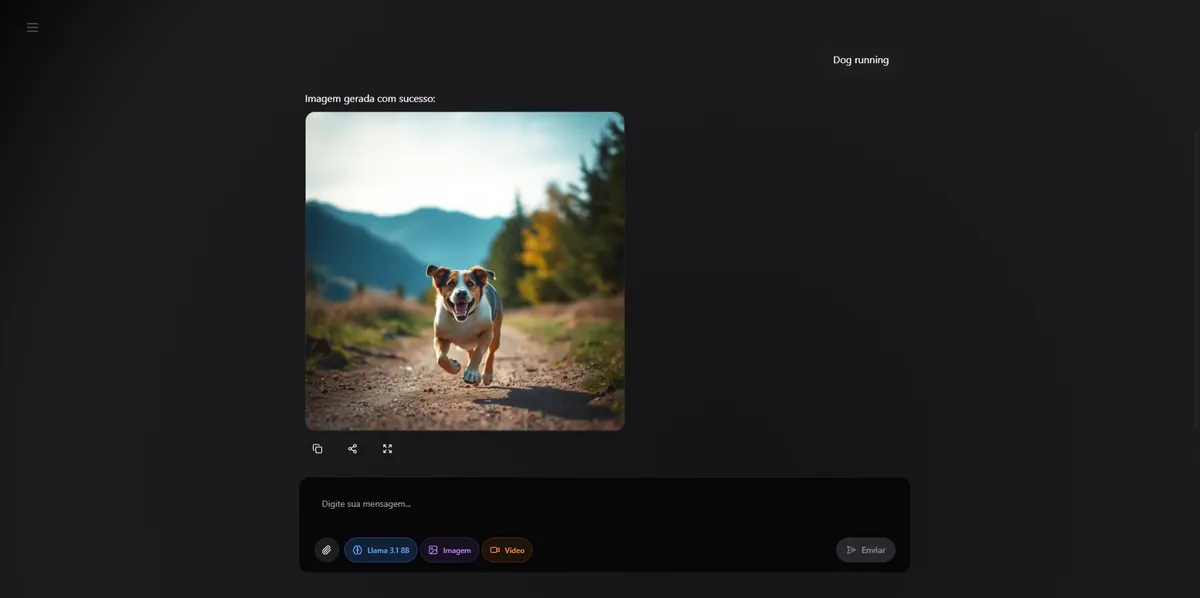
Multimodal capabilities and advanced UX features - image analysis, video generation, and model switching

UI Polish
Refined user interface and enhanced visual design - improved typography, spacing, and micro-interactions

Final Polish
Production-ready interface with optimized performance - authentication, database integration, and deployment preparation

Phase 3: Redesign - The Minimalist Evolution
After months of daily use, I found myself getting tired of the colorful design. I wanted something more minimal, clean, and focused on content rather than visual noise.
The Evolution: From Colorful to Minimalist
Initial Approach
Started with vibrant colors and complex UI elements to showcase technical capabilities and create visual interest.
User Fatigue
After months of daily use, the colorful interface became distracting and started to interfere with productivity.
Redesign Concept
First attempt at minimalist design - removing visual clutter and focusing on content

Minimalist Refinement
Further refinement of the minimalist approach - cleaner typography and spacing

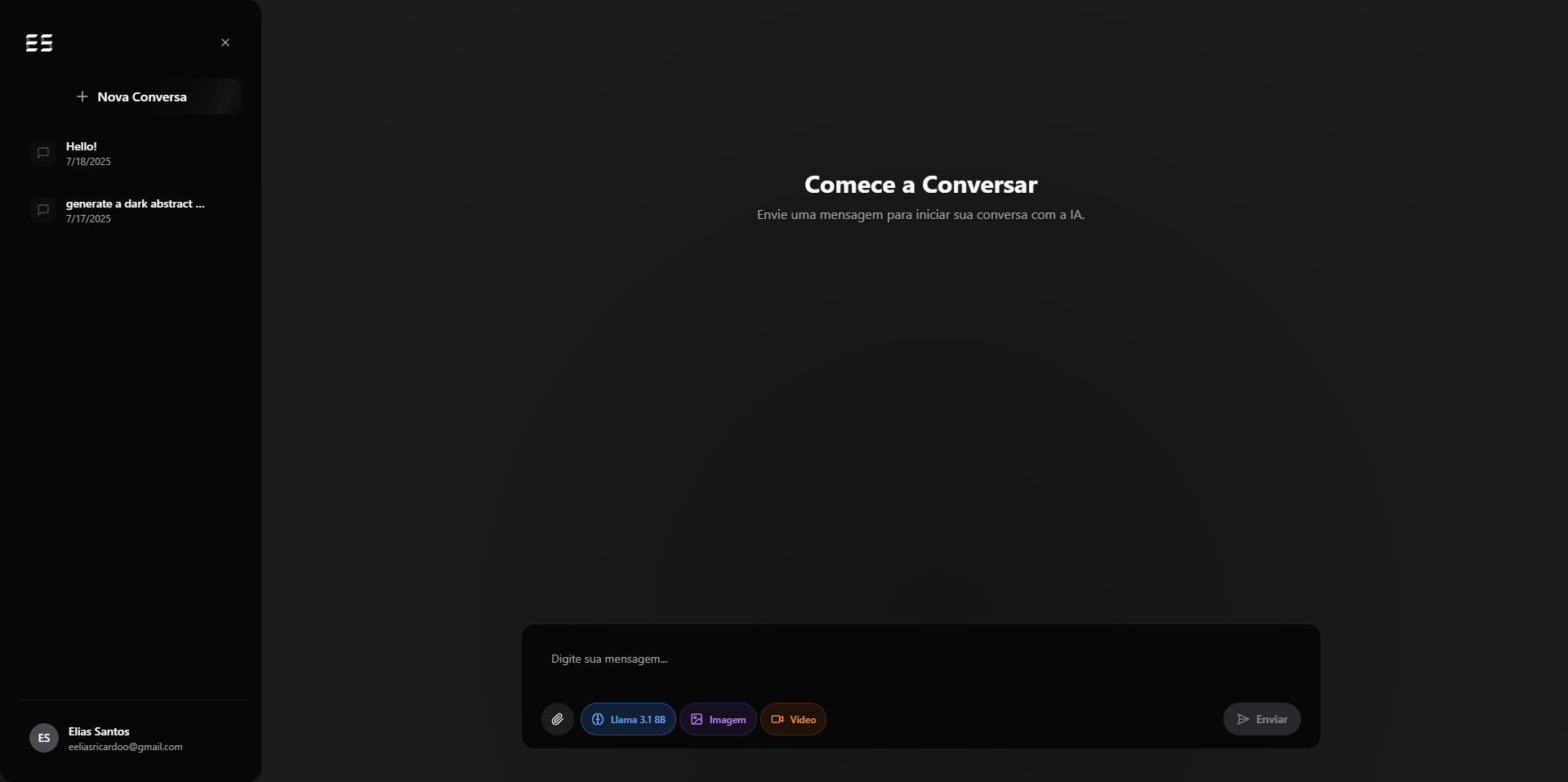
Current State (Production Ready)
The current production version - minimalist, fast, and optimized for daily use

The Minimalist Philosophy
“The best design is the one that gets out of the way. When the interface disappears and you're left with pure functionality, that's when you know you've succeeded.”
Content First
Every element serves a purpose, no decorative distractions
Speed & Clarity
Reduced cognitive load for faster decision making
Long-term Usability
Design that doesn't fatigue over extended use
What it actually changed
The point was never the app — it was the muscle memory. By the time a client project needed streaming or multimodal output, I'd already shipped it once, here, on my own terms.
What it bought me
Patterns ready before the deadline
Token streaming, model switching and multimodal generation went from "something I've read about" to code I'd already debugged — so client work started from a working baseline, not a tutorial.
Faster, sharper debugging
Screenshot-driven analysis let me diagnose UI and code issues visually instead of describing them — a habit that carried straight into how I review real work.
Key Features
Unified Chat Interface
Single interface for text, image, and video AI models
Screenshot Analysis
Upload screenshots for AI-powered debugging and analysis
Multimodal Generation
Generate images and videos directly in chat conversations
Model Switching
Seamless switching between different AI models
Conversation History
Persistent chat history with real-time synchronization
Pay-per-use Model
Only pay for what you use, no subscription fees
Phase 4: Final Interface & User Experience
The final interface represents the culmination of user research, technical development, and design iteration. Each component was carefully crafted to address the identified pain points.
UX/UI Design Principles
Developer-First
Interface optimized for developer workflow with quick model switching and code-friendly interactions.
Speed & Efficiency
Minimized clicks, keyboard shortcuts, and streamlined workflows to reduce cognitive load.
Cost Transparency
Clear cost indicators and usage tracking to maintain budget awareness and control.
Authentication & Security
Secure, frictionless authentication system with Supabase Auth integration

Navigation & Menu System
Intuitive navigation designed for developer workflow with quick access to all features
Custom Model Selection
Granular control over AI models - addressing the core pain point of model switching
Video Generation Demo
Multimodal capabilities - text, image, and video in one unified interface
Final Production Interface
The complete solution - addressing all identified user needs with a cohesive design system
Why I build my own tools
ChatAI is where I learn streaming and multimodal patterns before they reach client work. If you're hiring someone who stays ahead of the tooling by building with it, let's talk.